Introduction
So we’ve got Sentry installed now; great. Let’s get to exploring what’s going on with project.
Houston, We Have Several Problems
Picture this: You visit ErrorFix’s marketplace, eager to pick up some sweet swag, and you’re waiting… and waiting… and waiting. Infact, lets not picture it - lets actually see it!
To get started, run the following command to start the application:
npm run devThis will build our applications frontend, spin up the backend, and give us our application running at http://localhost:8000.
Open it up and lets kick the tires!
Sentry’s Next.js Framework View
Did you know Sentry built a framework view for Next.js? If you head into Insights, select your project, and you’ll see it! This view is great for giving you a view into errors and performance that matches up with what you would expect from Next.js.
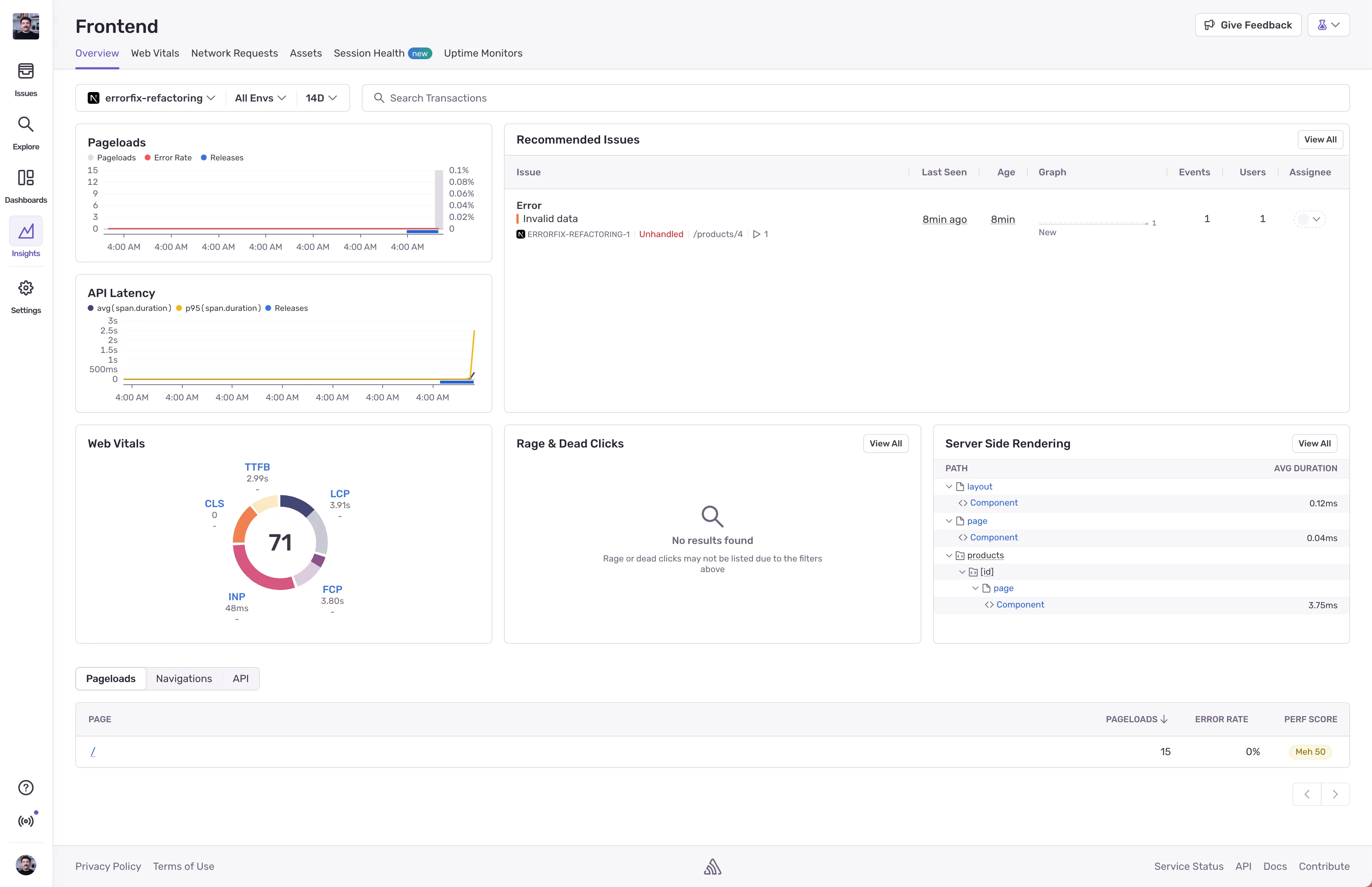
This framework view gives you performance insights into:
- Pageloads
- Current Issues
- API Latency
- Web Vitals
- Rage & Dead Clicks
- SSR Performance
- Per page pageload, navigation, and API performance & error rate
We’ll be using this view to help us identify where the performance is going down.
Enough talking about it; lets get to fixing some issues.